AI LEAF SHEETS · INCLUDED IN OFFICE 0.3
Your data.
Your spreadsheet.
Create and edit spreadsheets offline on Windows. Open Excel XLSX and CSV files, organise multiple sheets, calculate with basic formulas, format cells, and export XLSX, CSV or PDF copies.
Download AI Leaf Office + SheetsWindows 10/11 · 64-bit · Documents, Sheets and PDF in one installer.
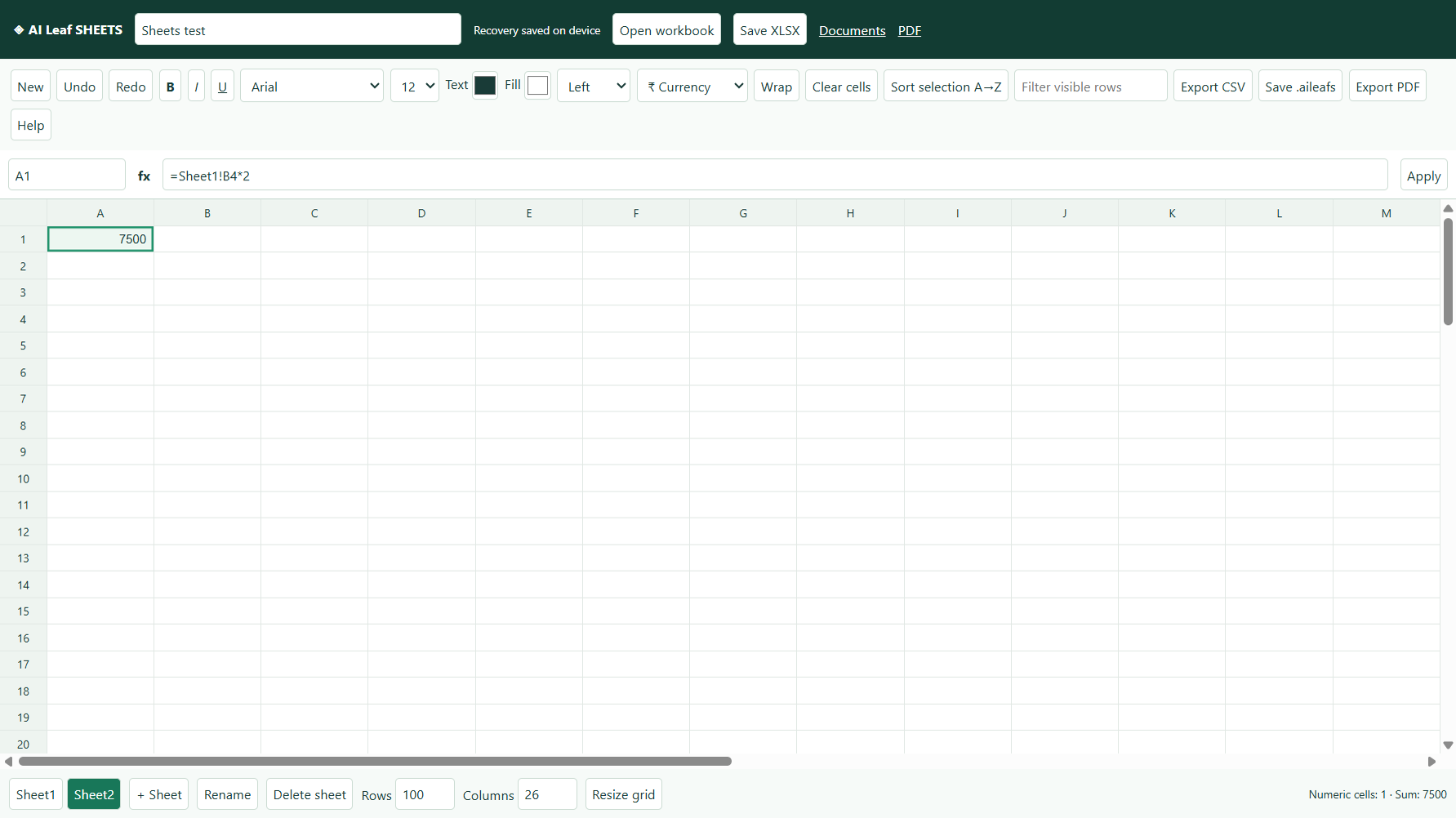
Everyday spreadsheet tools
- XLSX and CSV converted import/export; editable .aileafs projects and local recovery.
- Multiple sheets, English and Tamil text, formula bar, range selection, copy/paste, undo/redo and keyboard navigation.
- Cell fonts, sizes, bold/italic/underline, colours, fills, alignment, wrapping, and number/currency/percentage formats.
- Basic formulas: arithmetic, comparisons, ranges, sheet references, SUM, AVERAGE, MIN, MAX, COUNT, COUNTA, IF, ROUND and ABS.
- Selection sorting for sheets without formulas, row filtering and PDF export.
Six-month free editing licence
The same Office licence covers Documents, Sheets and PDF tools. Six calendar months from your device's first activation, with an online licence check at least every 30 days. An upgrade does not restart the trial. At expiry, files stay readable and exportable. No automatic charges.
Install and start
- Download and install the latest AI Leaf Office.
- Open the app, then click Sheets in the top bar.
- Activate the licence if you haven't already.
- Double-click a cell, press F2, or enter a value/formula in the formula bar. Save your workbook as XLSX or .aileafs.
Preview compatibility limits: this is not a complete Microsoft Excel replacement. Keep originals. XLS/XLSM, macros, charts, pivot tables, merged-cell layout, validation, external workbook links and advanced workbook features are not supported. Unsupported formulas remain stored and show an error. Dates import as ISO text. Limits: 20 sheets, 1000 rows, 100 columns and 30,000 displayed cells per sheet. The installer is unsigned.
Uninstall
Windows Settings → Apps → Installed apps → AI Leaf Office → Uninstall. Saved documents and recovery/licence data are retained.